

Digital accessibility has traditionally been approached through a fundamental question: can people with disabilities use this product?
That question remains essential, but we can add another perspective to it: our effective ability to interact with a product can also change depending on the moment, environment, and situation.
Direct sunlight can make a screen harder to read; an injury can temporarily limit the use of one hand; background noise can make audio content inaccessible; and stress or urgency can reduce our ability to focus.
In each of these cases, the relationship changes between the capabilities available to the person and what the product requires from them in order to use it.
This perspective does not replace accessibility work focused on people with disabilities. It complements it with another question: what happens when the capabilities required to use a product fluctuate depending on context?
From user profiles to human capabilities
In UX, we use profiles, archetypes, and segments to represent needs and behaviours. Adding capability variability provides a complementary layer for understanding how an experience may change depending on context.
In practice, there is far more variability.
A single interaction may require vision, motor precision, memory, sustained attention, or the ability to switch between devices. Rather than asking only who are we designing for?, we can introduce another question:
What capabilities are we assuming are available in order to complete this interaction?
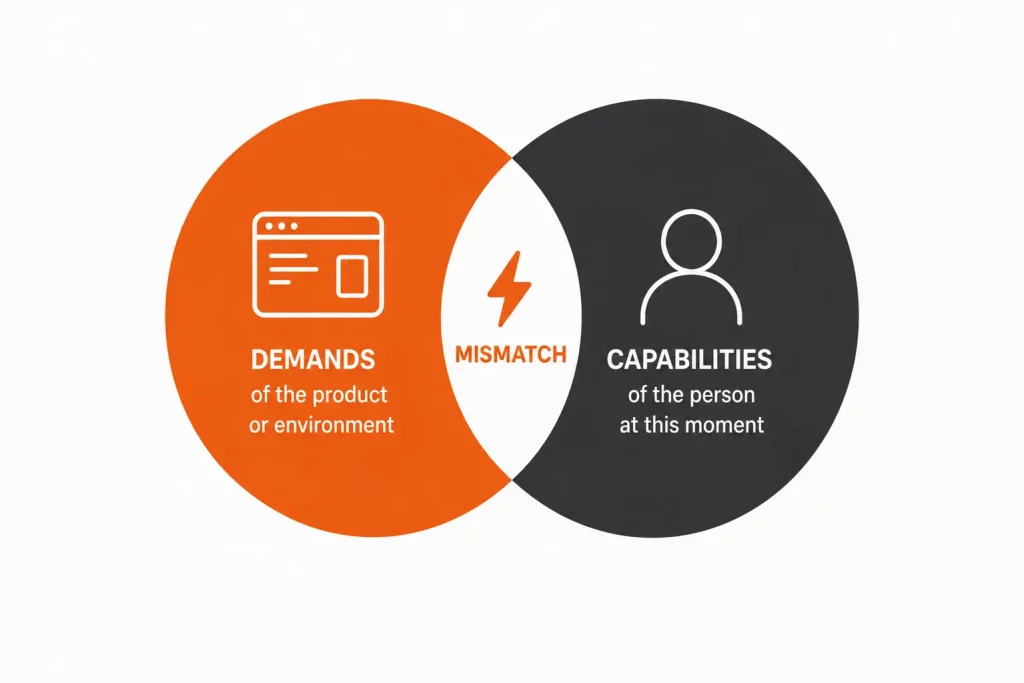
The Mismatch Model, associated with Inclusive Design and popularised by Kat Holmes in her book Mismatch: How Inclusion Shapes Design, provides a useful framework for exploring this. Rather than framing disability solely as an individual characteristic, it focuses on the mismatch between a person’s capabilities and the demands of a product or environment.
An interface that communicates status through colour alone creates a mismatch when that distinction cannot be perceived. An interaction that requires both hands creates another when that capability is not available.
From a design perspective, we can act on one side of that relationship: what the product requires from people in order to use it.
Microsoft Inclusive Design extends this idea into a continuum of permanent, temporary, and situational limitations.
A person may be unable to use one hand because of a permanent disability, may temporarily have one arm immobilised, or may simply be in a situation where only one hand is available.
These are not equivalent situations, but they can create similar interaction barriers. Captions are another familiar example: they are essential for some people with hearing disabilities, but they also make content accessible when the environment makes audio impractical.
From a product perspective, designing to reduce these dependencies increases the likelihood that a task can still be completed outside ideal usage conditions.
Context can create barriers too
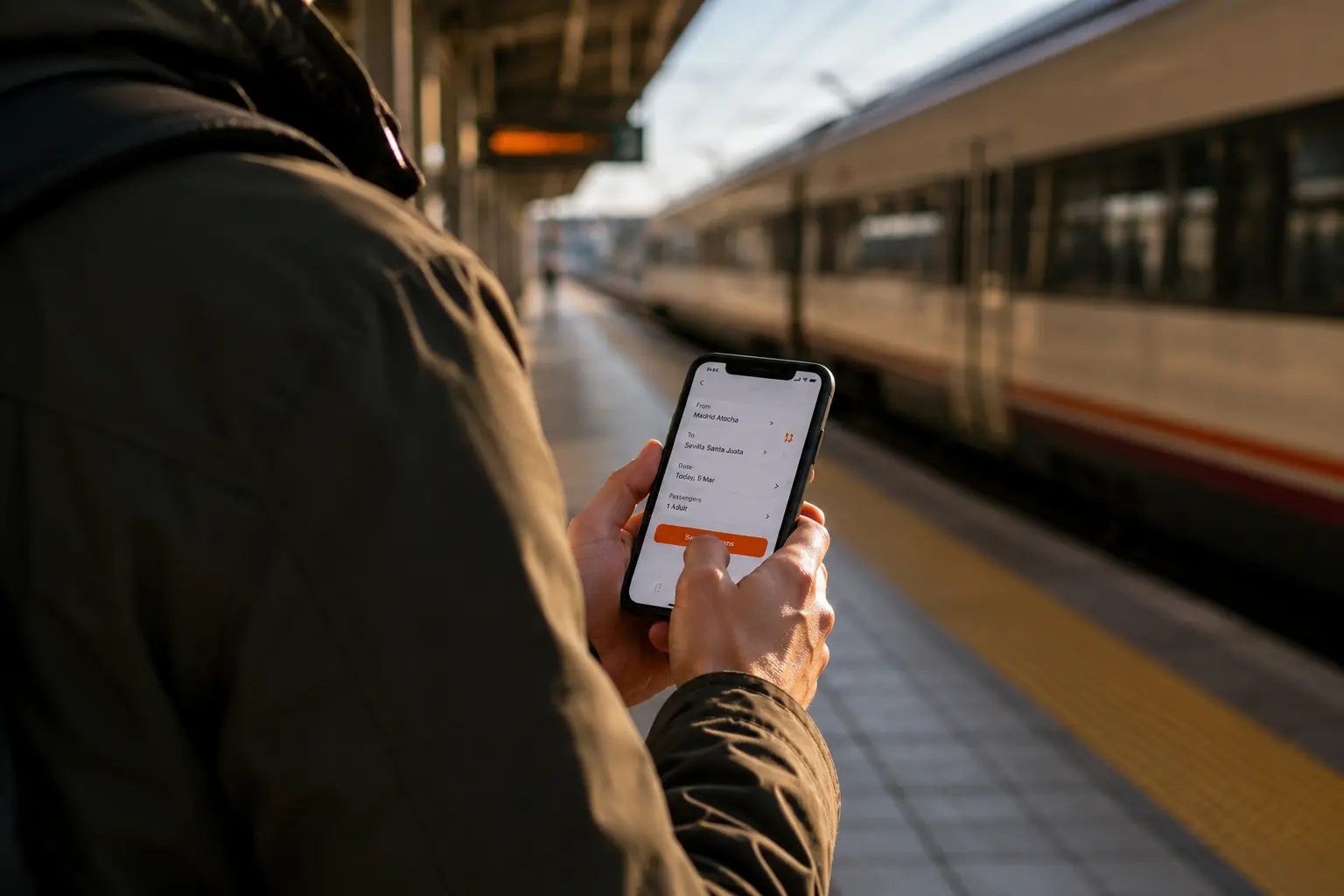
Imagine someone using a public transport app. They might be checking it calmly at home, or trying to find a platform change in a busy station, surrounded by noise, walking, and with only a few minutes to make a decision.
The user and interface are the same, but the interaction conditions have changed: lighting may reduce visual perception; noise may limit the usefulness of audio; movement may reduce motor precision; and urgency may increase cognitive load.
If that person cannot buy a ticket, find a platform change, or retrieve a booking at that moment, the impact may go beyond a moment of friction: a lost sale, a customer support contact, or reduced trust in the service.
The same logic applies to payments, administrative procedures, onboarding, contracting, or any other critical moment in a digital product.
So beyond checking whether an interaction is accessible, it is useful to assess whether it remains effective under the real-world conditions in which it is used. This connects accessibility with metrics that matter to product and business teams too: task completion, error rates, abandonment, support demand, and trust.
Designing for variable capabilities
Considering this variability does not mean creating a different interface for every possible situation. A more scalable approach is to reduce unnecessary dependencies on specific capabilities or conditions.
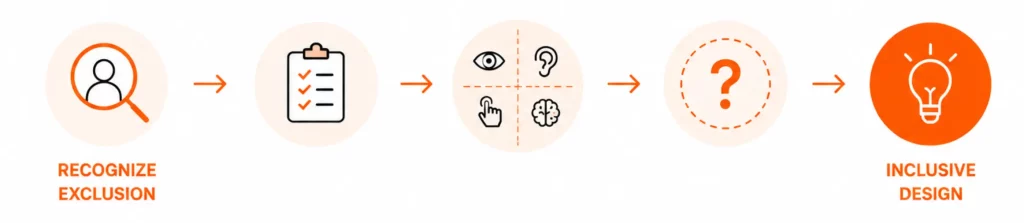
One of the principles of Microsoft Inclusive Design is Recognize Exclusion: identifying where a design decision may create exclusion.
Applied to a digital flow, we can ask:
- What capabilities does this interaction require?
- Where does it rely exclusively on vision, hearing, motor precision, or memory?
- What happens when one of those capabilities is unavailable?
These questions can help identify opportunities for improvement early in the product lifecycle.
For example, in a cognitively complex interaction, reducing the number of simultaneous options, maintaining consistent patterns, using explicit labels, or preserving context between steps can reduce cognitive load. Progressive disclosure provides another option, as long as information remains discoverable and operable through different interaction modes.
Adaptive interfaces can extend these possibilities further. The more explicit a person’s preferences are, and the more predictable the system behaviour, the more reliable the adaptation can become, while keeping user control as part of the experience.
Bringing these questions into design and development also has an operational impact: identifying a problematic dependency before production usually requires less coordination and rework than fixing it once it has propagated across components, flows, or channels.
Accessibility, Inclusive Design and Context-Aware UX are starting to converge
Accessibility, Inclusive Design, and Context-Aware UX come from different perspectives, but they increasingly share the same underlying question: how do we design products that can function across a real diversity of capabilities and usage contexts?
Standards such as WCAG still provide a verifiable baseline for identifying barriers. On top of that baseline, we can add expert evaluation, assistive technology testing, and research with people to understand how the experience performs during real tasks and in real contexts.
The ongoing development of WCAG 3.0 reflects this broader effort to evaluate an increasingly diverse digital ecosystem.
Inclusive Design adds a preventive perspective by helping teams identify where decisions may create exclusion during the design process. Context-aware UX adds another lens: understanding what an experience needs in order to keep working when conditions change.
Saving progress after an interruption, making key information available offline, or supporting multiple interaction modes are examples of resilience that can benefit very different users and contexts.
Combining these perspectives allows us to move beyond checking conformance and towards understanding where barriers occur, which tasks they affect, and what impact they may have. For product teams, that information also supports better prioritisation.
Accessibility as a product quality attribute
Treating accessibility as a cross-functional quality attribute, alongside usability, performance, and reliability, makes it possible to address it throughout the product lifecycle.
From this perspective, accessibility can also be understood as the product’s ability to maintain an effective interaction across different capabilities and conditions.
An interface that supports multiple input methods depends less on a specific motor capability. Content that uses more than one way to communicate information depends less on a specific form of visual perception. A process that can be paused and resumed depends less on sustained attention.
In each case, the product requires fewer ideal conditions in order to work effectively.
This resilience can also become a quality signal: a product that can sustain critical tasks across a broader range of situations can reduce friction, errors, and support needs, while increasing the number of people who can use it successfully.
Measuring accessibility therefore requires multiple perspectives. An audit can identify verifiable issues, assistive technology testing can validate specific behaviours, and research with people can show what actually happens during real tasks.
Combining technical conformance, expert evaluation, and evidence from real use helps teams understand not only which barriers exist, but also who they affect, when they occur, and what their impact may be. That makes it easier to make informed decisions about what to prioritise first.
From fixing barriers to anticipating mismatches
Accessibility work helps identify and resolve existing barriers. The Mismatch Model adds a preventive perspective: analysing which capabilities an interaction assumes so that potential mismatches can be anticipated before they reach production.
What happens if I cannot use this interaction mode? If I cannot perceive this signal? If I need more time? If I lose context or the task is interrupted?
These questions do not always need to result in a design change, but they can reveal important dependencies at a stage when there are still more options available to address them.
The earlier a dependency is identified, the easier it is to prevent it from becoming product debt or multiplying the cost of remediation.
This may point to an interesting evolution in accessibility: designing products that are less dependent on specific capabilities remaining constant.
That connects accessibility with resilience. Beyond asking whether an experience works, we can also ask what happens when the conditions around it change:
Is it still understandable with reduced attention? Can it be operated in another way? Can someone recover after an interruption? Does the person retain control when the interface adapts?
The needs of people with disabilities must remain central to digital accessibility. Bringing variability and context into the conversation expands our ability to understand when and how barriers emerge, and to anticipate them at product level.
For organisations, this has a direct implication: designing products that can perform across a broader range of people and contexts can protect critical tasks, reduce friction and incident-related costs, and improve experience quality over time.
At GammaUX, we work on accessibility throughout the product lifecycle, combining strategy, auditing and validation, specialised accessibility QA, and accessible design systems to help teams anticipate barriers and build digital experiences that are inclusive, robust, and sustainable over time.