


Until a few years ago, interface design was associated with developing software for computers, web pages and mobile applications. However, technological advances have given rise to a wide variety of new devices, each presenting their own challenges and opportunities for interaction.
In this context, the rise of wearable devices has led to the development of new strategies for designing unconventional interfaces. Wearables include a variety of smart devices that users carry with them on a daily basis, often as part of their clothing and accessories. Sports bracelets, watches, headphones and smart glasses are amongst the most common. However, the market is constantly evolving, with the potential for smart clothing, shoes, rings and other innovative products to be developed.
The aim of these products is to simplify daily tasks and provide real-time information. For example, they are designed to enhance user productivity by streamlining schedule management, providing visibility with regards to calls or messages, as well as enabling NFC payments. However, amongst many other things, they can also monitor heart rate, sports performance or sleep patterns; send news and alerts regarding local events; and increase the volume of the music playing on the paired smartphone.
Features of wearable devices
Despite the wide range of wearable devices available, they all aim to be easily and comfortably integrated into the user’s appearance. Therefore, there are common characteristics that influence the type of interface that can be developed:
- Use of small, touch-sensitive screens with limited interface space. Typically, interaction is carried out using one or two fingers.
- Limited battery life and performance, requiring functions that consume a lot of energy and resources to be minimised.
- Performance of tasks in the background, allowing the device to receive and gather data without the need for constant user interaction.
- Integration with other devices such as smartphones or tablets, which requires development of a consistent and seamless user experience across various platforms.
- Permanent connectivity, since they rely on Wi-Fi or Bluetooth connection to perform certain functions.
- Use in a wide variety of situations, often while the user is on the go and not fully focused.
Understanding the common features of wearable devices is the first step towards designing interfaces tailored to these new environments, maximising their advantages and minimising their drawbacks.
How to design for wearable devices
1. Relevance and minimalism
When designing for small screens, it is important to identify the most relevant features and limit available options. Simplify the interface by effectively making use of information hierarchy and adopting a minimalist layout, while also reducing navigation flows and improving readability.
Use resources such as notifications or side navigation to incorporate secondary functions without overcrowding the main screen. You can also employ vibrations, sounds or animations to provide immediate feedback to user interactions. Ensure that all icons and symbols used are easily recognisable, and use brief and concise labels.
2. Intuitive interaction
Interaction with wearable devices should be natural and easy to understand. Typically, simple gestures are used such as swiping to navigate between screens, tapping to activate an element or long-pressing to access secondary options. Devices may also include voice assistants, enabling the execution of specific functions through a voice command while the user performs other tasks.
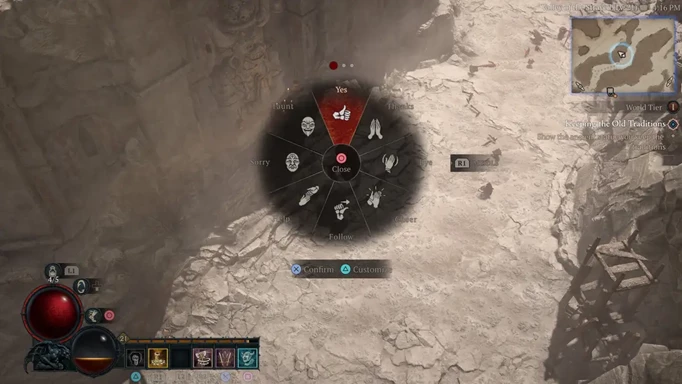
Circular or ring menus facilitate touch navigation around a central point. Their format enables a wide range of options to be included, even on small screens, while their radial distribution provides good readability and reduces the time users need to find and select an element. If the device has physical buttons, they should be assigned to the most important actions which will be used more frequently.
Source: GGRecon
3. Customisation and accessibility
UI design should ensure that all users can effectively use the devices, regardless of their physical or cognitive abilities. On a reduced interface such as that of wearable devices, it is essential that users have the ability to modify text size and other interactive components, customise the screen’s brightness and contrast based on varying lighting conditions, adjust the touch screen’s sensitivity and reorganise widgets on the main screen, amongst other things.
Design these environments to allow for easy one-handed navigation and quick information retrieval, ensuring that background processes do not disrupt the primary use of the device, thus maintaining a seamless and uninterrupted experience. Use a limited colour palette focused on highlighting key elements. Reinforcing the colour palette through the use of additional symbols or text will also make information accessible to people with colour blindness.
4. Attention to privacy
Wearable devices gather a vast amount of personal and sensitive information, ranging from an individual’s health status to their daily habits, real-time location and social connections. Since users often wear them outside the house and around others, it is essential to take steps to ensure the privacy of the data.
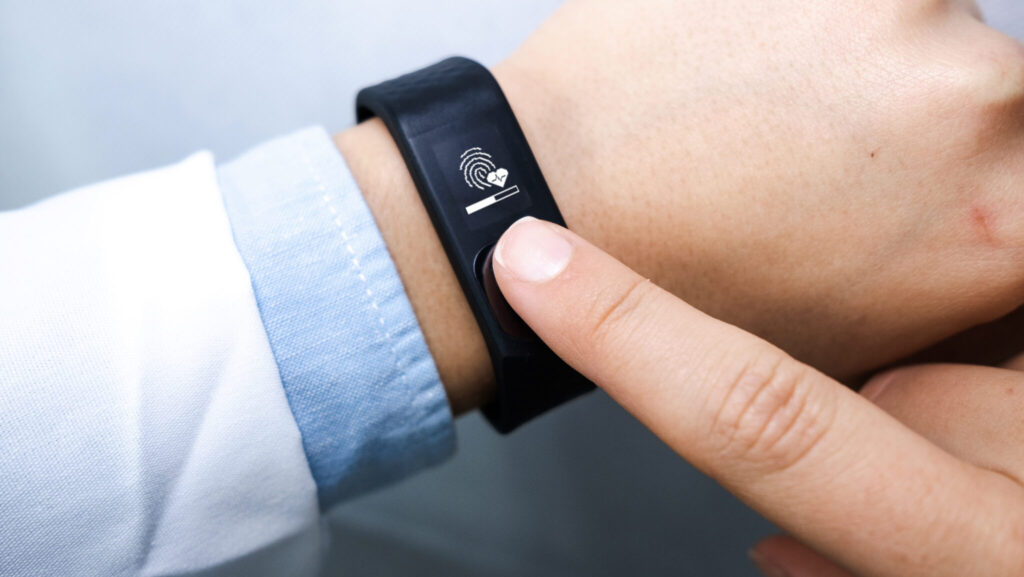
Interfaces should request permission from the user before storing any information, detailing what data is collected and how it is used. It is important to make it easy for users to consult, download and delete their personal data, as well as to implement measures such as encryption algorithms and biometric authentication. It can also be helpful to adopt simple logic that is easy for the user to understand, such as emitting a vibration before displaying an important message or hiding sensitive data in expandable notifications.
Source: Biometric Update
If you are interested in the use of new technologies and development of effective interfaces for diverse environments, at GammaUX, we have a team of professionals dedicated to the evolution of UX and UI design. Contact us for a no-obligation discussion and we will help you to develop your idea or project. Shall we have a chat?